Worca
Deterministic multi-agent pipeline for AI agents

Your AI agents,
on rails.

Point Worca at a project and describe the work. A deterministic engine drives AI agents through Plan → Refine → Implement → Review — looping until the work clears quality gates, pausing to ask you the questions that matter, and keeping every run isolated in its own git worktree and branch.

web UICLIchat controlcomposable workflowsguardrails
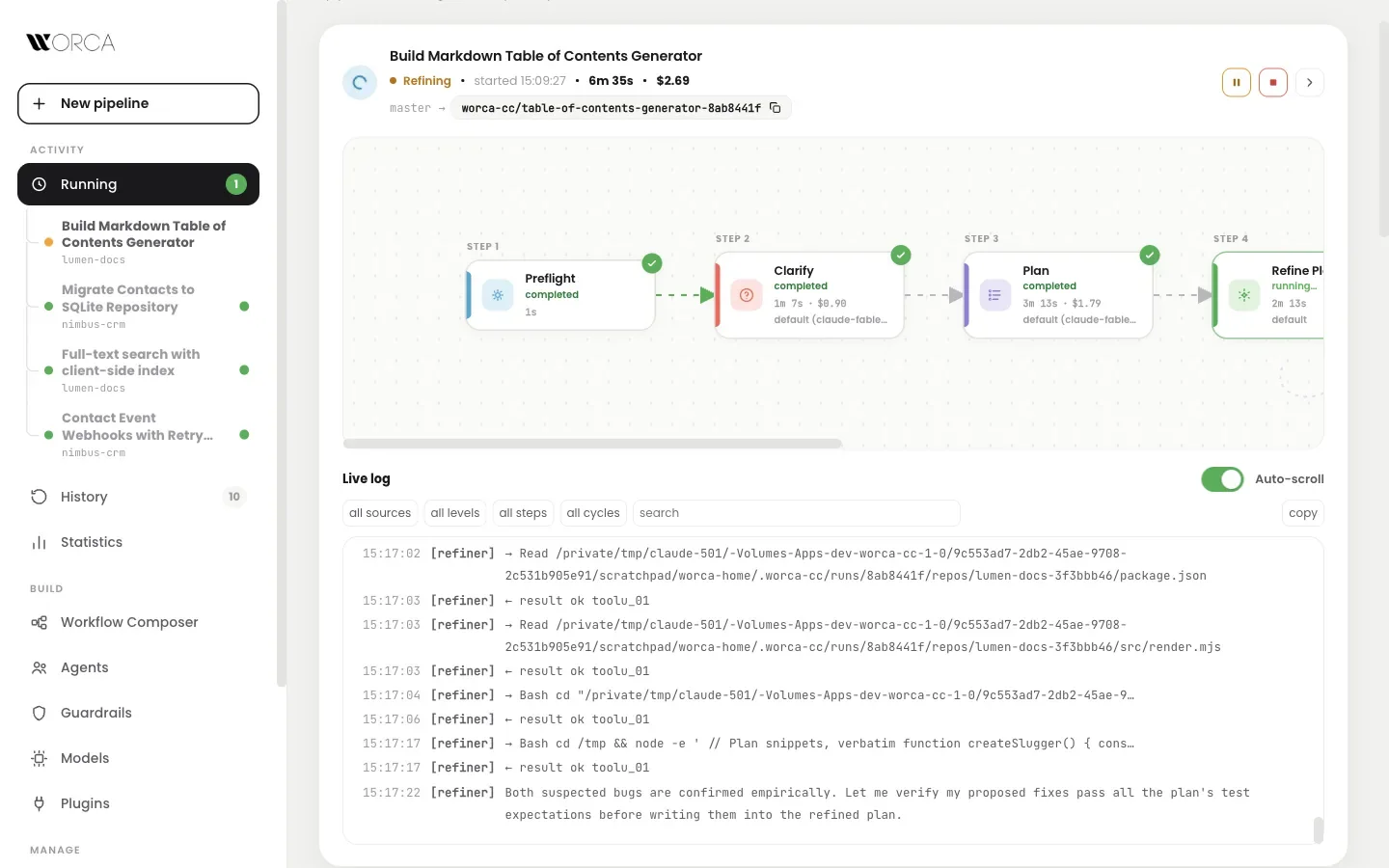
worca — running
Worca live cockpit: flow graph of a running pipeline with streaming log
live cockpitflow graph + streaming log
parallel runs4 pipelines · isolated worktrees
How a run works

Describe the work.
Approve the result.

Agents do the creative work; the engine does the control flow. Every step, verdict, and artifact is recorded — nothing depends on an agent remembering to behave.

Step 1Clarify

Hidden decisions become multiple-choice questions before any code is written. Your answers travel with the plan.

Step 2Plan

The planner explores the codebase and writes an implementation plan with concrete code snippets.

Step 3Refine

The refiner reviews and rewrites the plan — v2, v3, … — until no critical or major issues remain.

Step 4Implement

The implementer follows the approved plan with no deviation, using TDD: red, green, refactor.

Step 5 → 4Review

The reviewer reads the diff and hands blocking findings back to the implementer — looping until clean.

Loops gate to you past their cycle cap: approve another cycle, or continue with the open issues shown. A finished run ends on its own branch — one click from a PR.

  • ?
    Real decisions, surfaced early2–4 options plus free text — instead of silent assumptions buried in a diff.
  • Answers stay on the recordThe clarify Q&A is appended to the plan, so refiners and reviewers see exactly what you chose.
  • Answer anywhereIn the browser — or straight from Telegram, Slack, Discord, or Teams.
worca — clarify
Clarify questions with multiple-choice options before any code is written

Clarify — the pipeline asks before it assumes.

Full record

Every run keeps
its receipts.

The diff per file, per-step costs and durations, the clarify Q&A, agent transcripts, and logs — kept for every finished run, across every project on your machine.

worca — run detail
Run detail: diff per file, per-step costs, and one-click PR

Run detail — diff, per-step costs, one-click PR.

  • ±
    Diff-first reviewFiles changed with +/− counts, ready to open as a pull request from the History view.
  • $
    Costs per stepWhat each agent spent, and how long it took — for every cycle of every loop.
  • Transcripts includedFull agent transcripts and logs, filterable by source, level, step, and cycle.
  • Nothing in your repoRun state lives in one SQLite database in your home directory — your checkout stays clean.
Workflow Composer

Compose your
own pipeline.

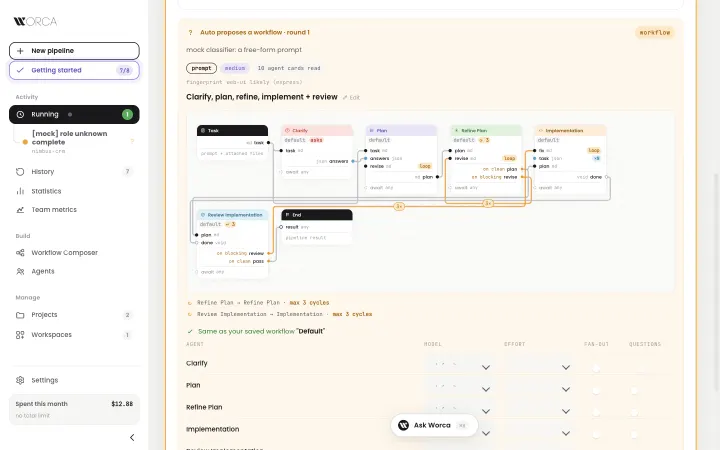
Drag agents onto a canvas to build sequential steps, parallel groups, and feedback loops — an agent that emits a verdict can loop back to an earlier step until it passes or hits its cycle cap. Saved workflows appear in the New Pipeline picker.

  • Feedback loops, boundedVerdict-emitting agents loop back with configurable cycle caps — no runaway rework.
  • Parallel groupsFan work out across agents where order doesn't matter; the engine joins the results.
  • Reset to defaultOne click redraws the standard Plan → Refine → Implement → Review.
worca — composer
Workflow Composer: drag agents into steps, groups, and feedback loops

Workflow Composer — steps, groups, and loops on a canvas.

Agents

Eleven agents.
Zero hardcoding.

Planner, refiner, plan reviewer, implementer, code reviewer, clarify, decomposer, manual-test checklist, web-UI tester, workspace scanner, workspace reviewer. Each agent is a markdown prompt plus a metadata sidecar — new agents drop in without engine changes.

worca — agents
Agents view: data-driven agents with per-agent model and effort

Agents — data-driven, editable, per-agent model & effort.

  • AI-assisted agent creationDescribe a new agent and Worca generates its system prompt and wiring — edit, regenerate, save.
  • Model & effort per agentPick model and reasoning effort per agent, per workflow, or per run — with a clear resolution order.
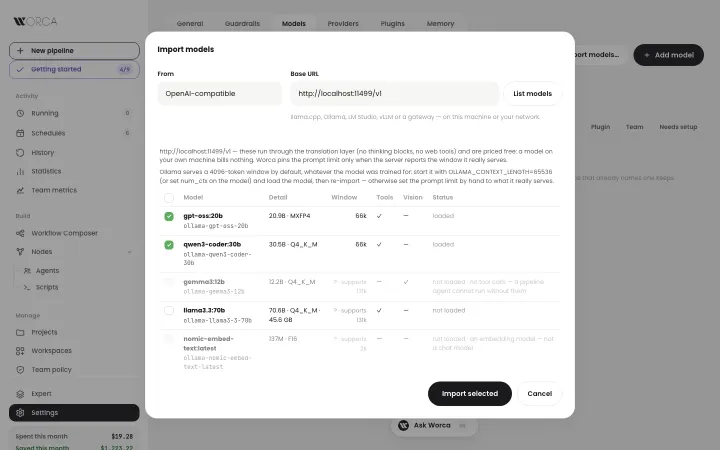
  • Bring your own modelsRegister any model id — a proxy, a fine-tune, another provider — with per-model routing environment.
Guardrails

Autonomy, with
a perimeter.

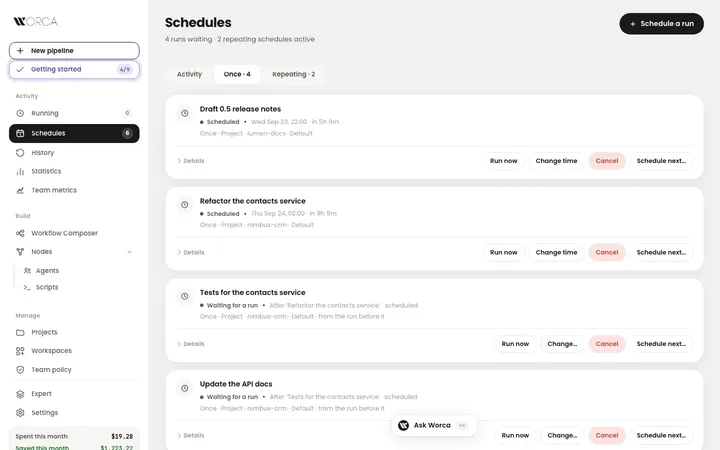
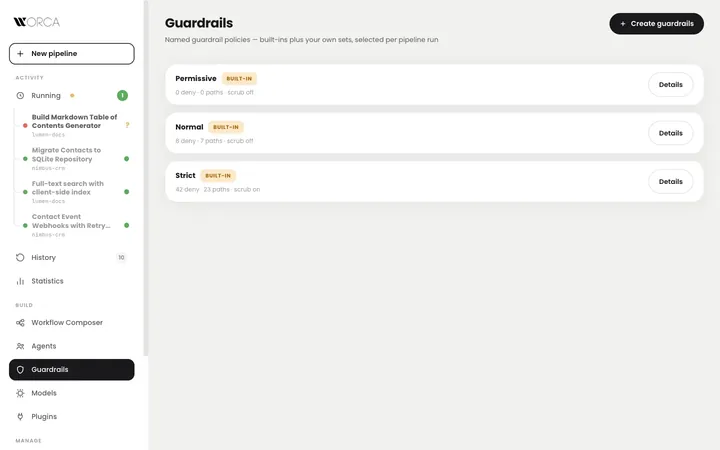
Named policy sets, selected per run. Policies compile to hard permission denies on every agent spawn — repo settings can't undo them.

Permissive

Let agents move fast in sandboxes and throwaway projects.

Normal

Protects credential files and blocks publication commands.

Strict

Adds environment scrub on spawn, network-egress and cloud-CLI denies, and home-dir credential protection.

  • Your own policy setsStart from a tier, tune the rules, save it under a name, pick it per run.
worca — guardrails
Guardrails: named policy sets with Permissive, Normal, and Strict tiers

Guardrails — pick the perimeter per run.

Chat control

Drive runs from
your pocket.

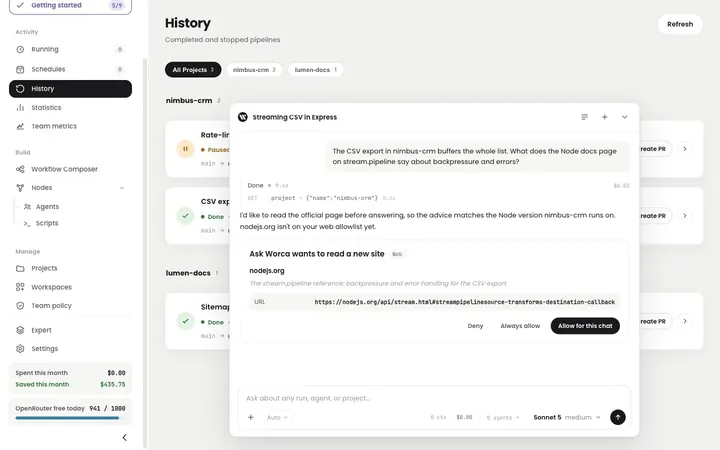
Bundled two-way channels: get notified on questions, finishes, failures, and cost pauses — and answer back with commands, with allowlist-based authorization.

TelegramAnswer clarify questions from anywhere.
SlackLoop gates and finishes, right in the channel.
DiscordWatch costs and pause runaway runs.
Microsoft TeamsApprovals without leaving the meeting.
/status/cost/answer/approve/pause/resume/stop
Costs & budgets

Spend you can
see — and cap.

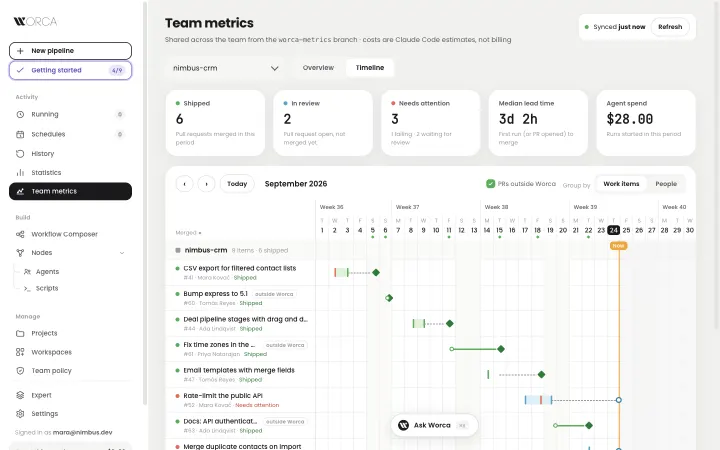
Per-run and per-step cost estimates, a Statistics view with spend, time, and outcome charts, and a spend indicator always in the sidebar.

worca — statistics
Statistics: spend, time worked, outcomes, per-day charts

Statistics — spend, time worked, outcomes per day, week, or month.

  • Per-pipeline cost capA runaway run pauses itself — resumable only with an explicit override.
  • Total budgetPauses everything and blocks new runs until the weekly or monthly window resets.
  • Estimates everywherePer run, per step, per agent — visible while the run is still going.
Built for real work

The rest of
the toolbox.

Isolated worktreesEach run gets its own git worktree and feature branch. Your checkout is never touched; parallel runs don't collide.
Pause & resumePause mid-run — or hit a cost cap — and resume later, re-attaching interrupted agent sessions. Survives server restarts.
Mock modeThe entire pipeline runs offline with a deterministic mock — no agents, no tokens. Great for demos, development, and CI.
Plugins & marketplacesTask sources, agents, skills, workflow templates, models, and chat channels — installed with an explicit consent ceremony.
WorkspacesGroup related repos; a scanner maps how they interconnect, and one run fans out across all members with a single cross-project verdict.
One-click PRsA finished run shows its diff and opens a pull request straight from the History view.
Nothing in your repoState lives in one SQLite database in your home directory, keyed by repo identity — stable across worktrees.
Task sourcesStart a pipeline from a prompt, a markdown brief, or a plugin source like GitHub Issues.
Quickstart

One install.
Three ways in.

Worca ships as a web UI, a CLI, and an installable skill for your coding agent — all running the same deterministic engine. Requires Node.js ≥ 22.13.

01 · install
Get the app

One npm package: engine, web UI, and CLI included.

npm install -g @worca/app
02 · launch
Open the cockpit

Add a project, click New pipeline, describe the task.

worca --ui
03 · or run headless
Straight from the terminal

Point at any project and describe the work.

worca --project . \ --prompt "Add a /search endpoint"

Want a zero-cost tour first? --mock runs the full pipeline offline — no tokens spent. See the full quick start.

v1.0 · MIT licensed

Ship work you
didn't babysit.

Worca is open source and ready for your next project.

MIT License · Worca Development Community GitHub npm Docs Issues