
From a task to a reviewed pull request.
Agents do the creative work; a deterministic engine does the control flow. Every step, verdict and file is recorded, so nothing depends on an agent remembering to behave.
The workflow
picks itself.
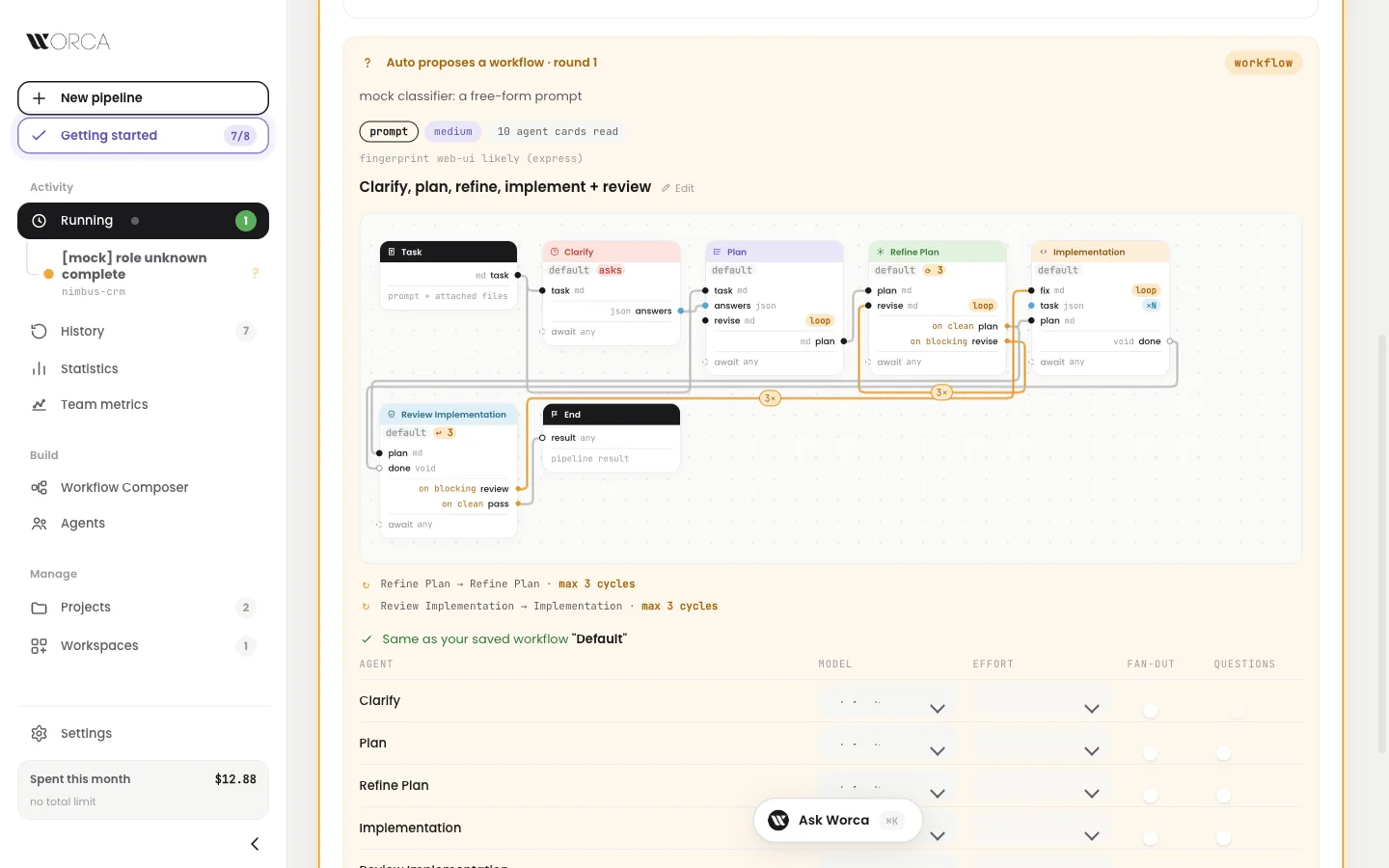
Not sure which workflow fits the task? Start on Auto. Worca reads the task, takes a quick look at the repo and proposes a workflow built from the agents that fit. Accept it, ask for changes in plain words, or let the run go ahead without asking.
- Reads your task and attachmentsA free-form prompt, a partial plan or a complete one.
- Takes a quick look at the repoA small offline fingerprint: web app or not, stack, size.
- Picks the agents that fitFrom what each agent declares about itself, not its full prompt.
- Assembles the workflowIt reuses a saved workflow with the same shape, or saves the new one when you accept.
$ worca --project . --prompt "Add a /search endpoint" \
    --workflow auto
# review the proposal first, or add --no-human to let it run
The cost and error safeguards stay on either way.
Ask first. Then plan,
build and review.
The standard workflow, and the starting point for your own. Loops are bounded: past their cycle cap, they stop and ask you.
Hidden decisions become multiple-choice questions before any code is written. Your answers travel with the plan.
The planner explores the codebase and writes an implementation plan with concrete code snippets.
The refiner reviews and rewrites the plan (v2, v3, …) until no critical or major issues remain.
The implementer follows the approved plan with no deviation, using TDD: red, green, refactor.
The reviewer reads the diff and hands blocking findings back to the implementer, looping until clean.
Past the cycle cap a loop asks you: approve another cycle, or continue with the open issues shown.
- ?Real decisions, surfaced early2–4 options plus free text, instead of silent assumptions buried in a diff.
- ☰Questions come as formsPick one, rank a list, keep or waive each finding, compare two images. Worca checks your answer before the agent sees it.
- →Answers stay on the recordThe Q&A is appended to the plan, so refiners and reviewers see exactly what you chose.
- ⌂Answer anywhereIn the browser, in the terminal, or from Telegram, Slack, Discord or Teams. Every place asks the same fields.
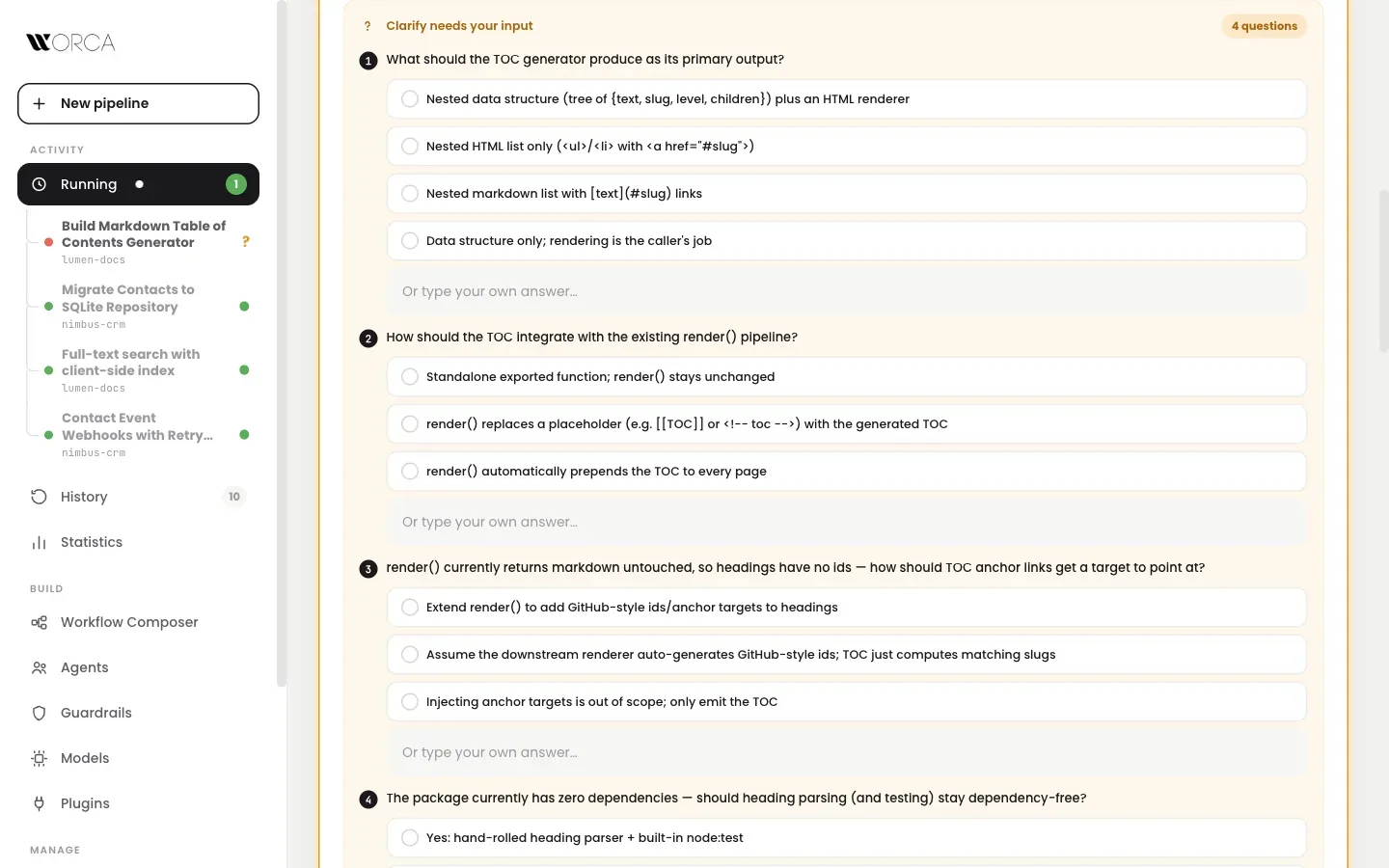
Clarify: the pipeline asks before it assumes.
Compose your
own pipeline.
Drag agents onto a canvas and wire their typed ports. A wire only connects compatible ports, and a wire that closes a cycle becomes a loop with its own cap. Saved workflows appear in the New pipeline picker.
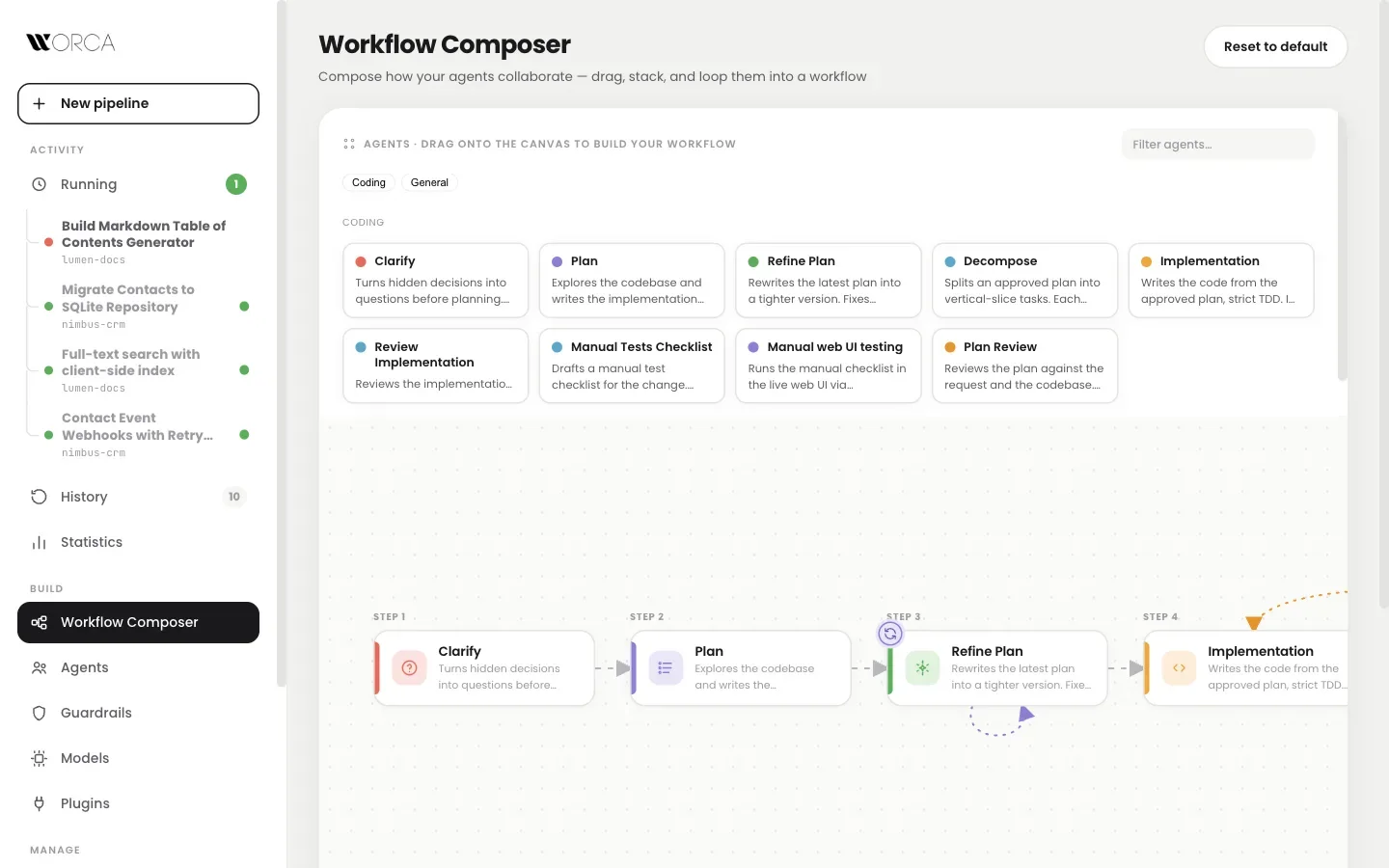
Workflow Composer: steps, groups and loops on a canvas.
- ⇄Feedback loops, boundedA reviewer keeps sending work back until it passes or its cycle cap runs out. No runaway rework.
- ∥Parallel groups and joinsFlow cards (Task, End, AND, OR, Combine) express fan-out, choices and merges without code.
- ✥Pan and zoom everywhereRun canvases move like the Composer: drag to pan, ⌘/ctrl + scroll to zoom, fit in one click.
- ↺Reset to defaultOne click redraws the standard Plan → Refine → Implement → Review.
Workflow cards that
run your code.
Does a test gate really need a model call? A script card runs your own Node or shell program inside a workflow, with the same wires and pass/fail routing as an agent. It costs no tokens and gives the same answer every time.
How a script's exit code routes the card
- ⌗Inputs read from your codeThe card's inputs and outputs are picked up from the script as you type.
- ✓A test bench with saved casesRun a script by itself, save named cases with an expectation, re-run them all before it goes into a workflow.
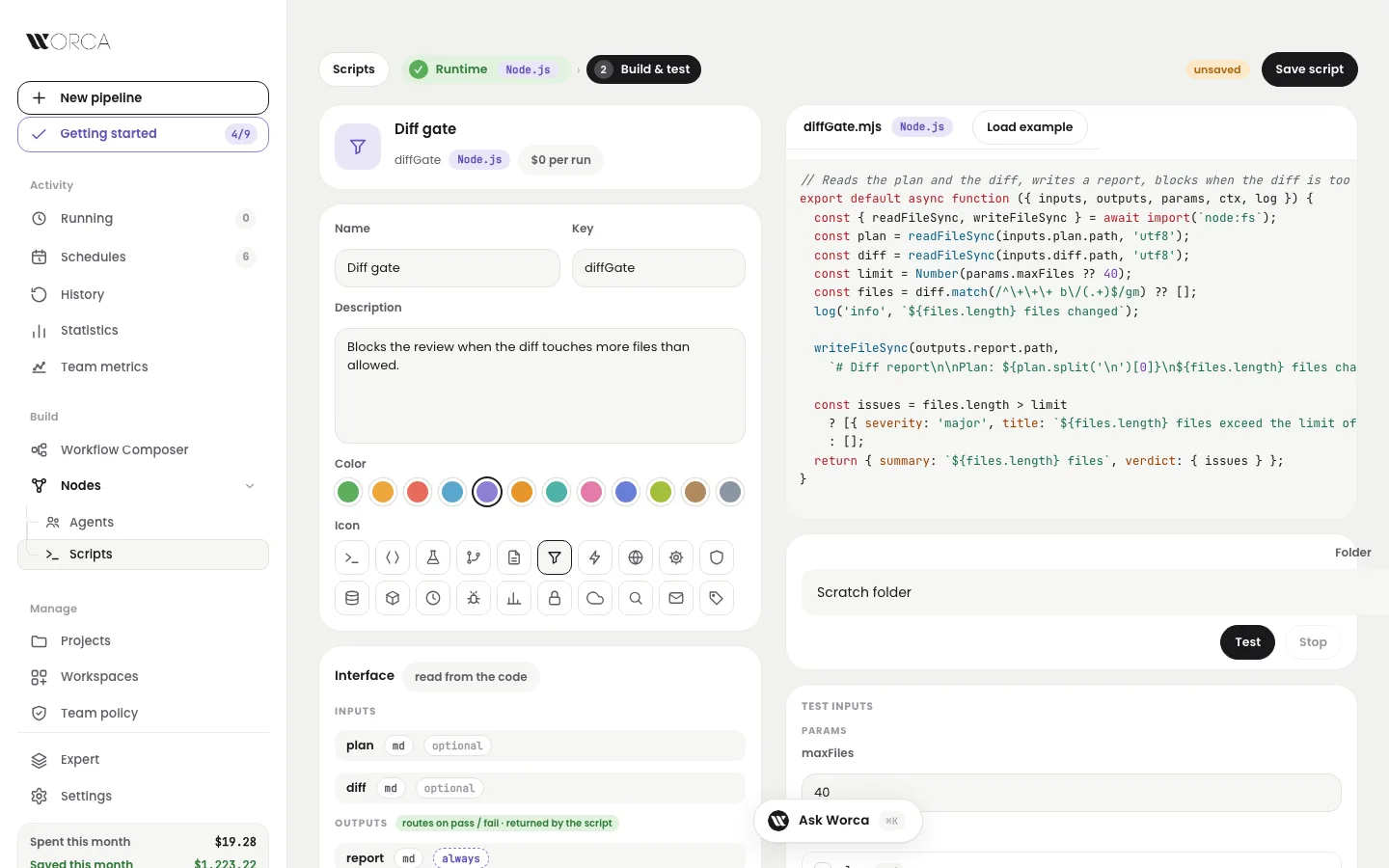
A new script: inputs and outputs read from the code, with the test bench below.
Data-driven agents
that remember the repo.
Planner, refiner, plan reviewer, implementer, code reviewer, clarify, decomposer, manual-test checklist, web-UI tester, workspace scanner, workspace reviewer and memory tidy-up. Each is a markdown prompt plus a small metadata file, so new agents drop in without engine changes.
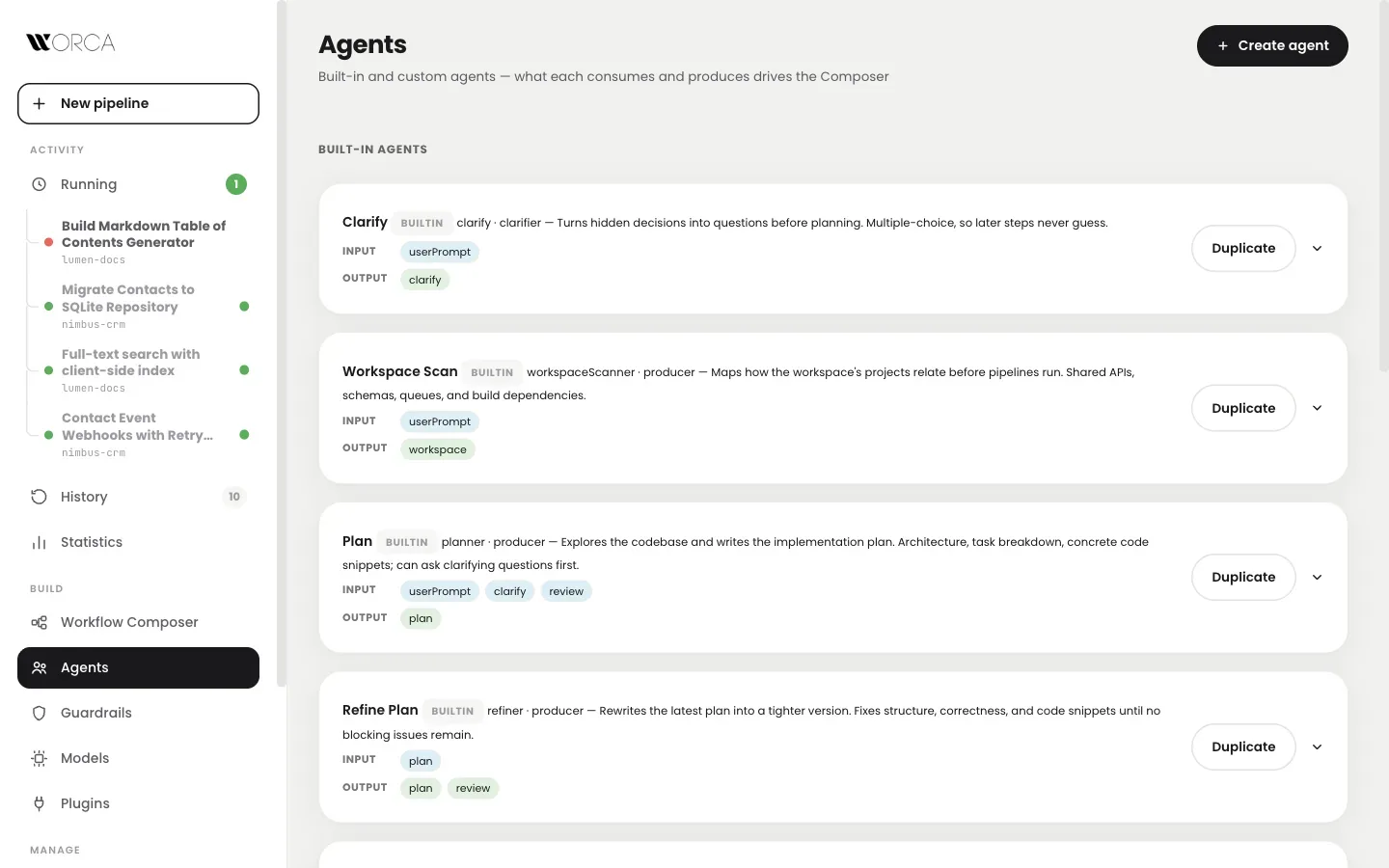
Agents: data-driven, editable, with a model and effort per agent.
- ✎AI-assisted agent creationDescribe a new agent and Worca writes its system prompt and wiring. Edit, regenerate, save.
- ◎Model & effort per agentPer agent, per workflow or per run, with a clear order of precedence.
- ☰Agents bring their own formsAn agent that needs a human ships the form its question needs. Plugins can ship forms too.
- ❏Memory, per project and globalShort Markdown notes every agent reads before it starts, and adds to when it learns something.
- ✎Yours to read and editThe project page shows each note, the run that wrote it, and an editor.
- ⌫Never in your branchMemory stays out of git and out of every commit a run makes. A built-in workflow tidies it up.
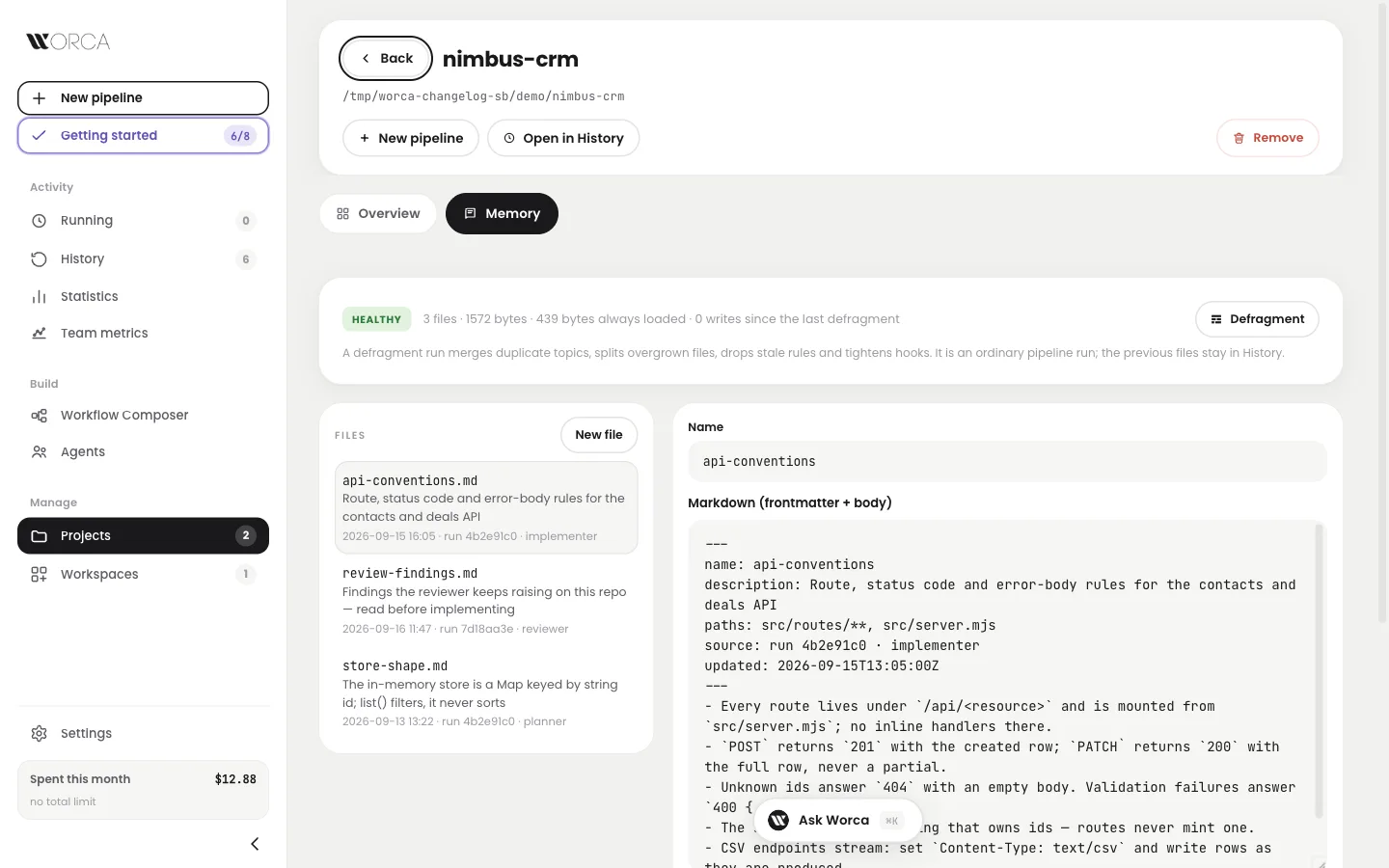
The Memory tab: every note with the run that wrote it, and the editor.
Every run keeps
its receipts.
The diff per file, per-step costs and durations, the clarify Q&A, every plan and review, agent transcripts and logs, kept for every finished run across every project on your machine.
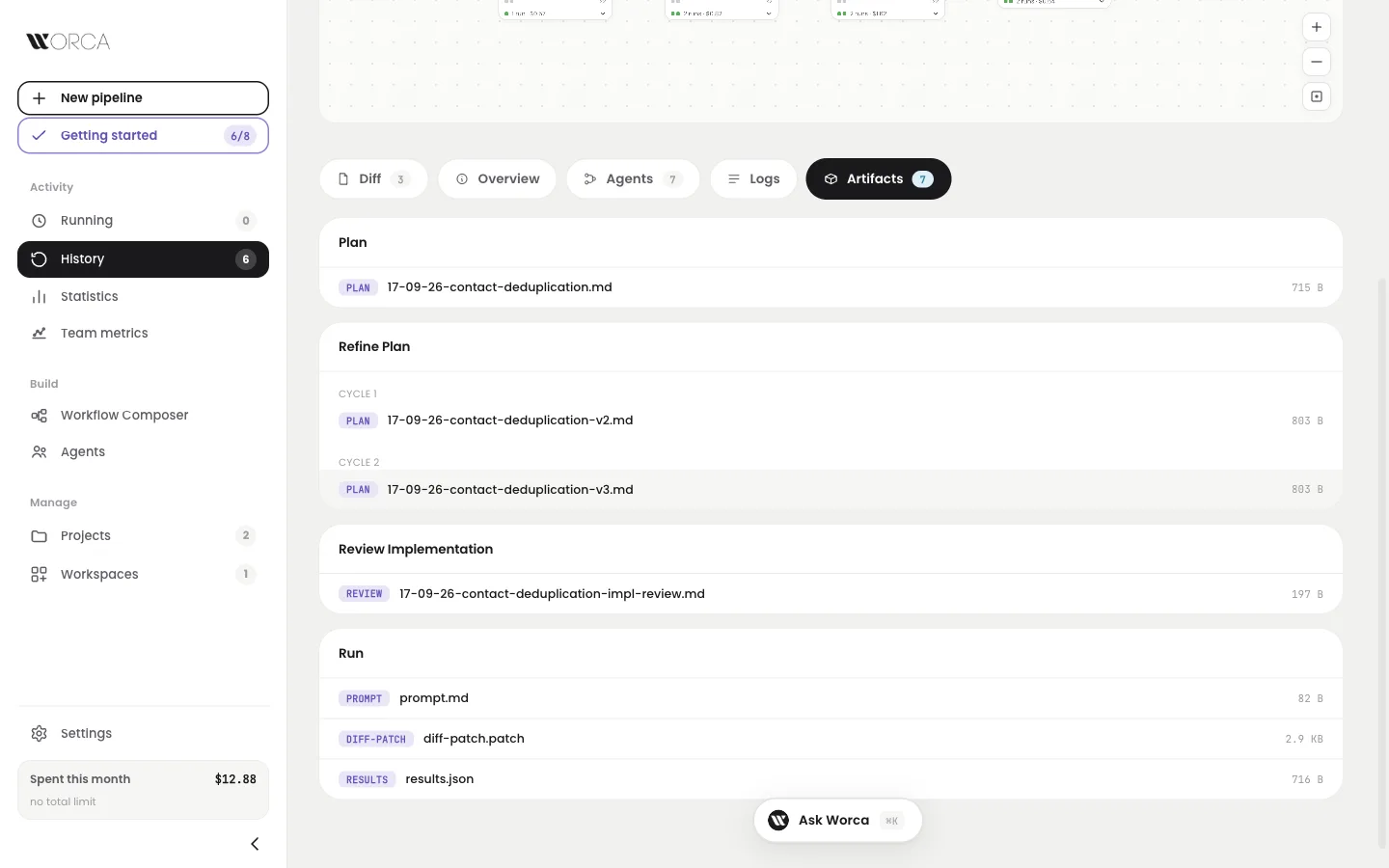
The Artifacts tab: every file, grouped by the step and cycle that wrote it.
- ▤Filed by step and cyclePlans, reviews, the patch and results, each with a viewer. Ask Worca reads the same files, even mid-run.
- $Costs per stepWhat each agent spent and how long it took, for every cycle of every loop.
- ±Diff-first reviewFiles changed with +/− counts, one click from a pull request.
- ≡Transcripts includedFull agent transcripts and logs, filterable by source, level, step and cycle.
- ❝Talk about the diff, on the diffA comment on a line is a thread. Reply in place, or ask Worca and its answer lands under your comment.
- M↓Markdown, with previewCode blocks and lists render in the thread, with a preview before you post.
- ✓Resolve the whole conversationWorca may delete its own reply, never yours.
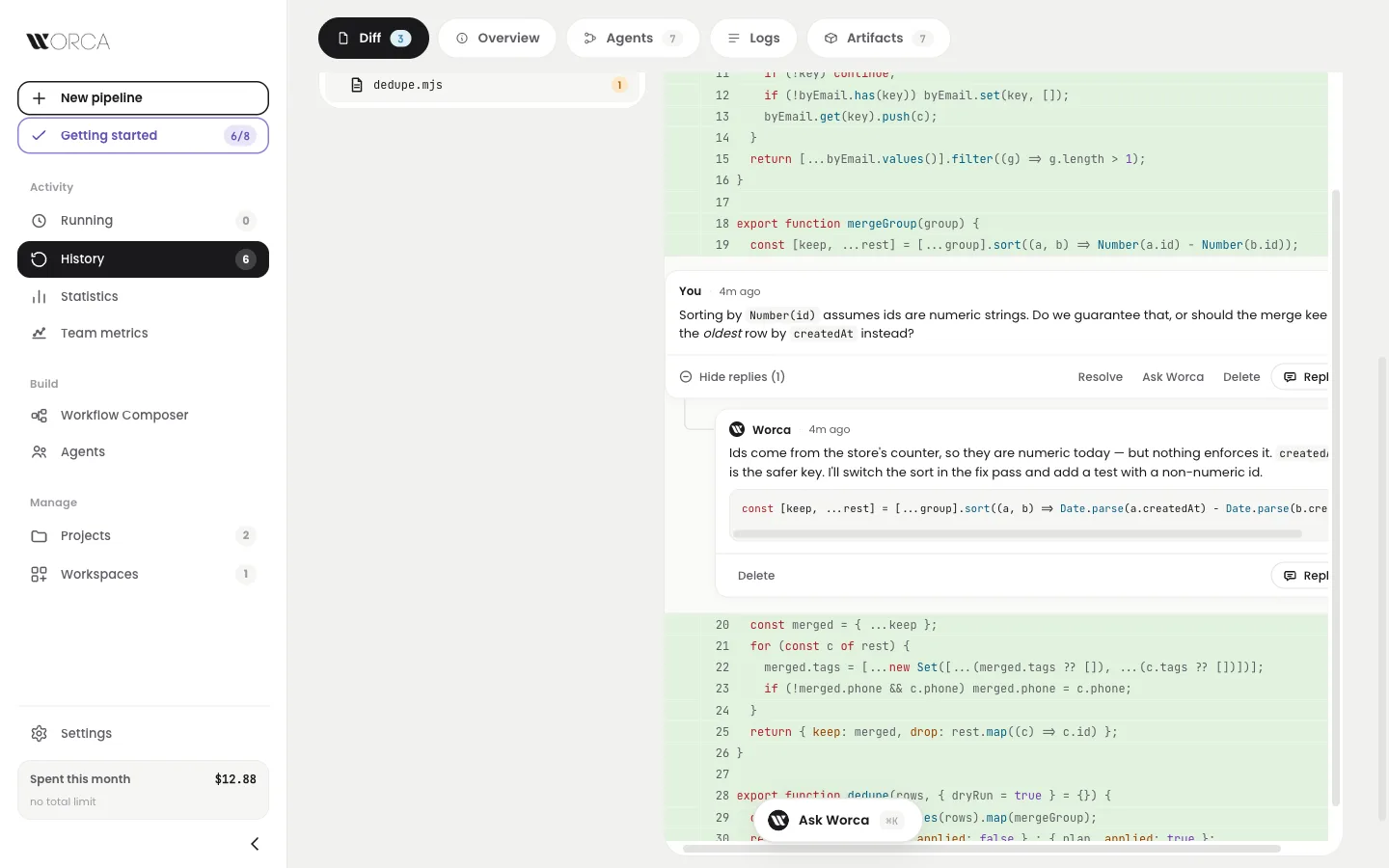
The Diff tab: your question under line 19, Worca's reply beneath it.
Your pipeline,
in three formats.
Any saved workflow can leave Worca: as a runnable Claude Code skill, as a file another Worca user imports, or as a versioned plugin that bundles the agents and skills it depends on.
Built-in agents are never copied: a plugin workflow references them directly.
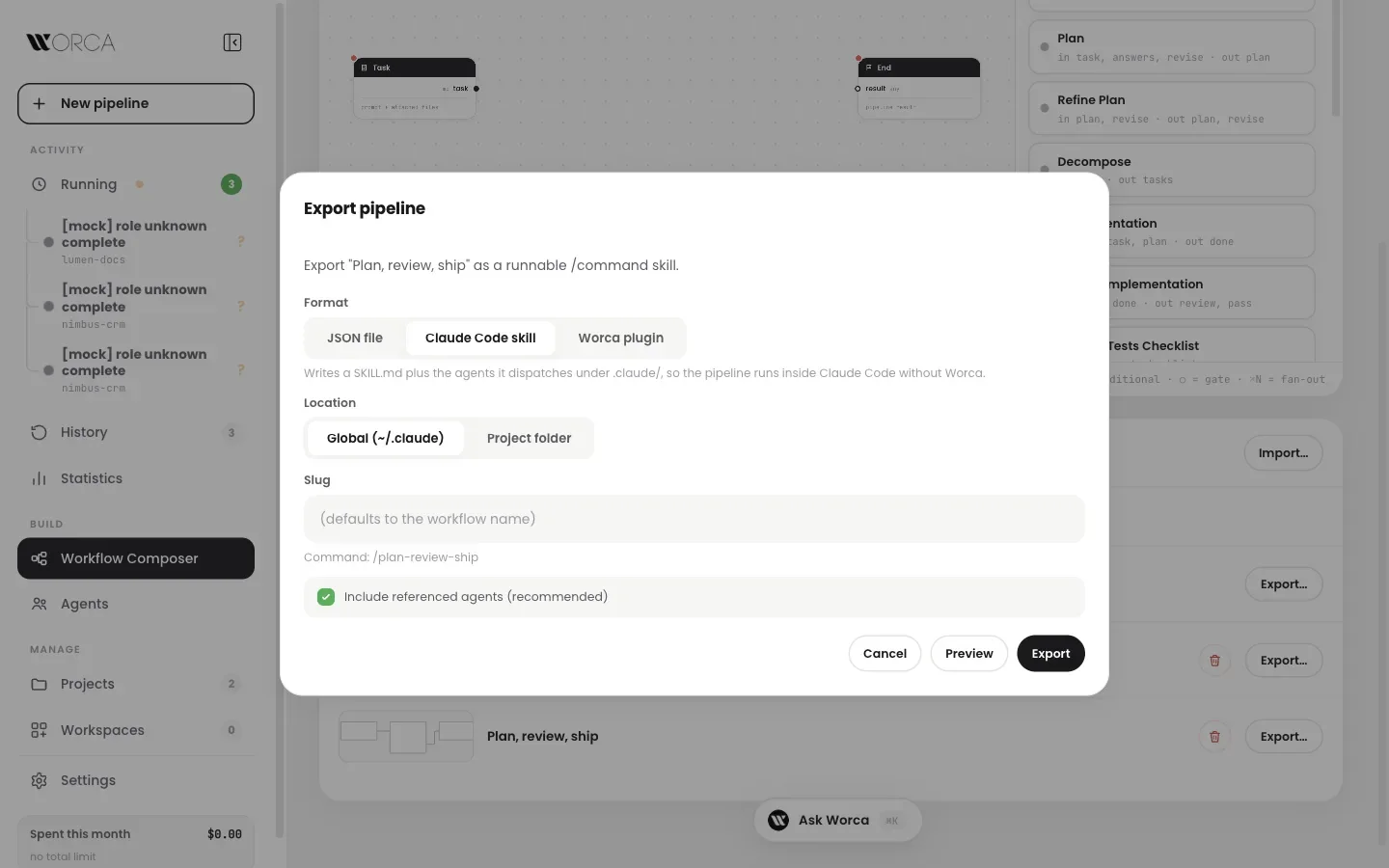
Export pipeline: pick the format, the folder and the name.
Ship work you
didn't babysit.
One npm install on macOS, Linux or Windows. Or a container, or a shared server for the team.