
One Worca for the whole team.
See what the team spends and ships, agree on caps and models once, and run one shared Worca that records who did what. It's all stored in your own git remote, with no extra server and no new accounts.
Team spend,
not just your own.
Every finished run is recorded to a small worca-metrics branch in the project's own git remote. The Team metrics page adds it all up: spend, runs, duration, autonomy and review cycles, per project or per workspace.
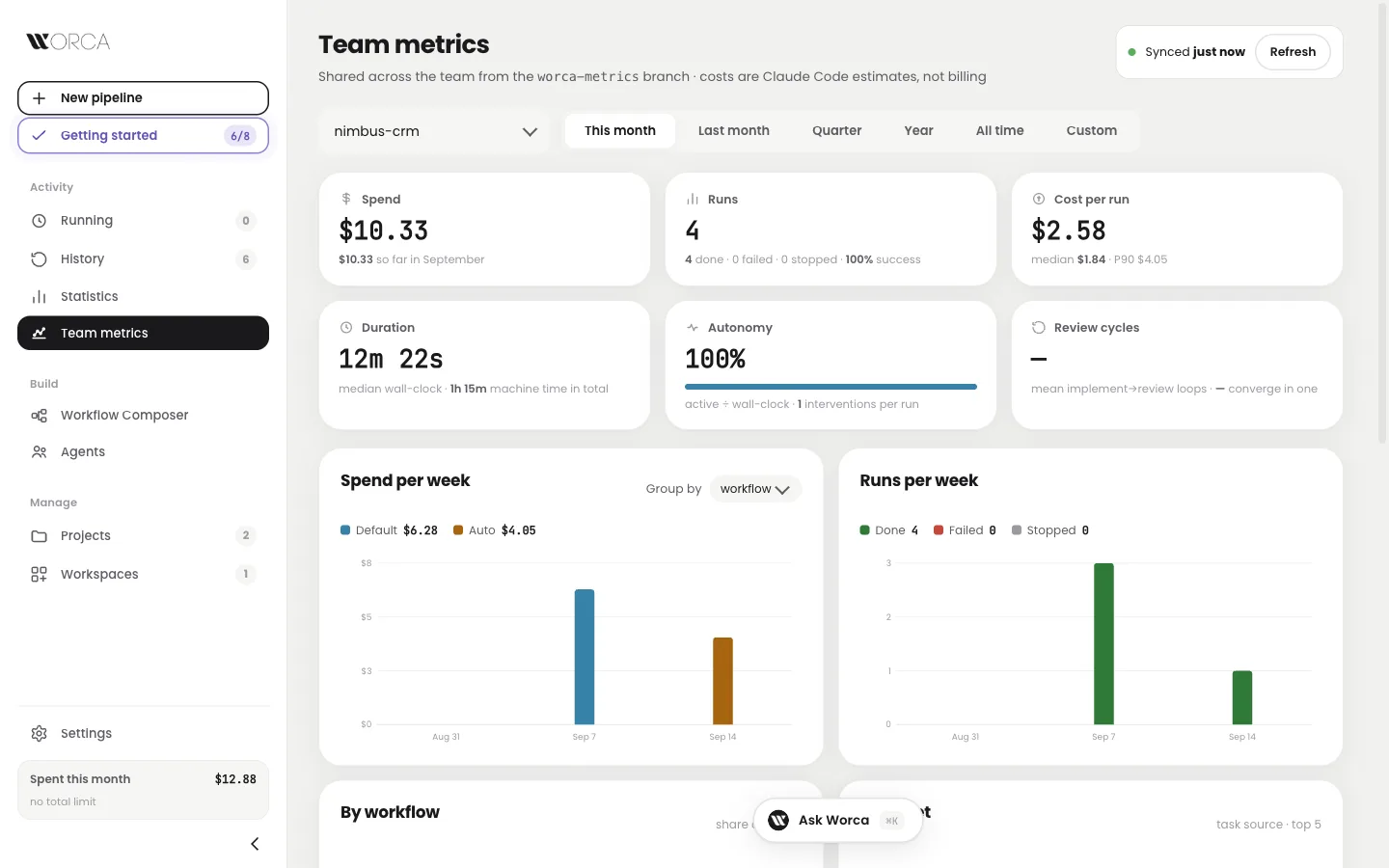
One project, this month: six numbers and the weekly charts, read from the git branch.
From a finished run to a teammate's screen
- A run finishesDone, failed or stopped.
- Worca writes one small recordOne JSON line: title, result, time and spend. No code.
- Pushes it to the metrics branchorigin/worca-metrics, an orphan branch.
- Teammates fetch itAsk Worca can answer questions about it, and it exports to CSV.
Turn it on once per project. A workspace records through one of its projects.
What shipped this month,
and what's stuck?
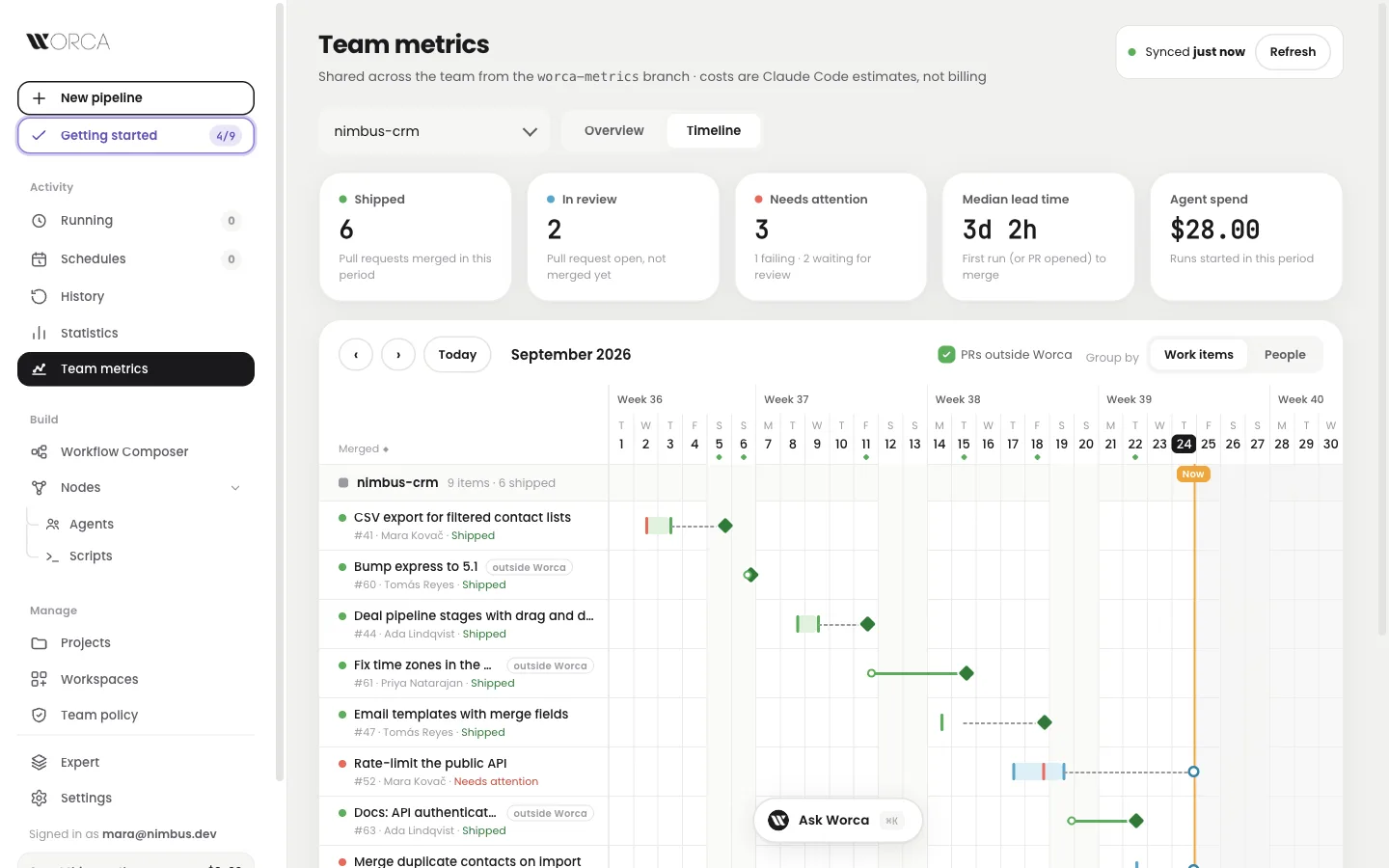
A timeline for the people who plan the work. Each ticket is a bar from its first run to its merge, with tiles for what shipped, what's in review and what needs attention. Zoom from month to week to day.
- ✓Shipped means mergedA work item counts as shipped when its pull request merges, not when the run ends.
- ⏳Flags reviews waiting two days or moreNeeds attention shows failing runs and pull requests nobody has looked at.
- ▤Click a bar for the whole storyWho drove it, attempts, review cycles, time waiting for review, spend and every run.
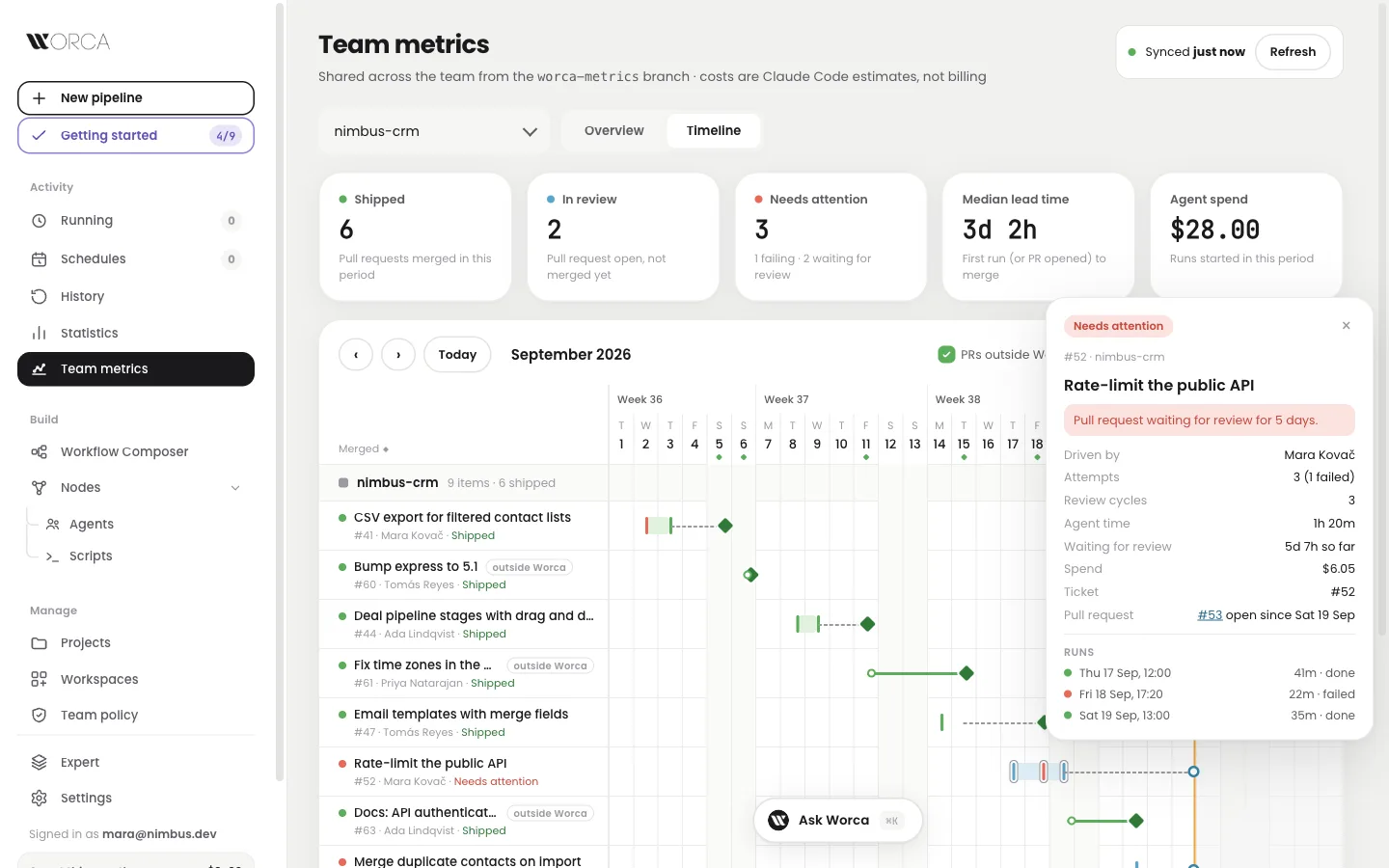
One work item: attempts, review cycles, waiting time, spend and its runs.
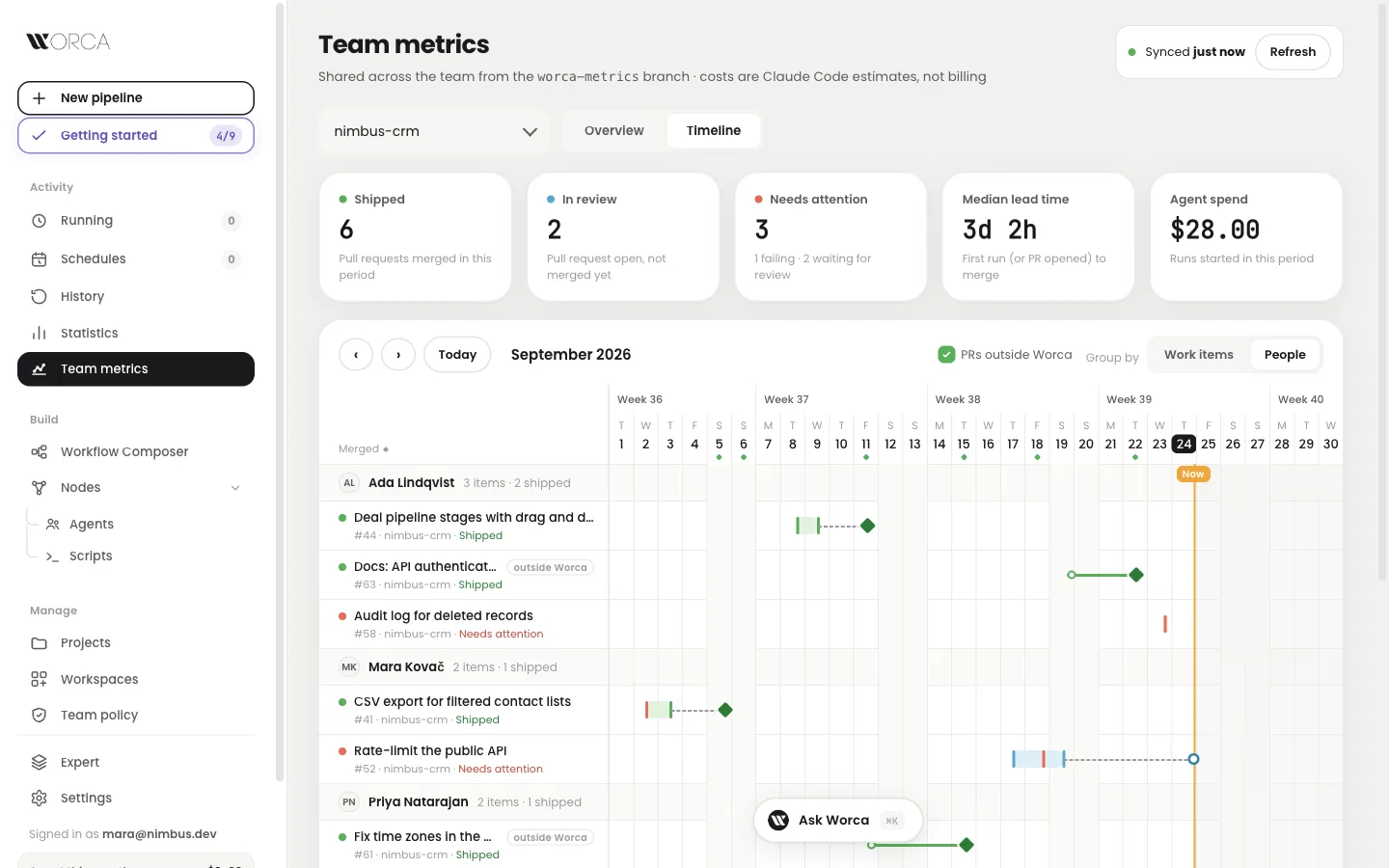
Grouped by people: Worca runs and pull requests made elsewhere, side by side.
- ⎇Every pull request countsPull requests made outside Worca show too, tagged as such. One switch hides them.
- ⚇One person, one rowEven when they commit from two email addresses. No email address is stored.
- ⚙Works with or without an Actionworca metrics pr-workflow adds a GitHub Action for merge dates; the GitHub CLI works too.
One team policy,
kept in git.
A maintainer publishes a policy to a branch in the project's repository, and every teammate's Worca reads it: cost caps, allowed models, required plugins, guardrails and a default workflow. Nothing is blocked. Go past a cap with a reason and the team sees it.
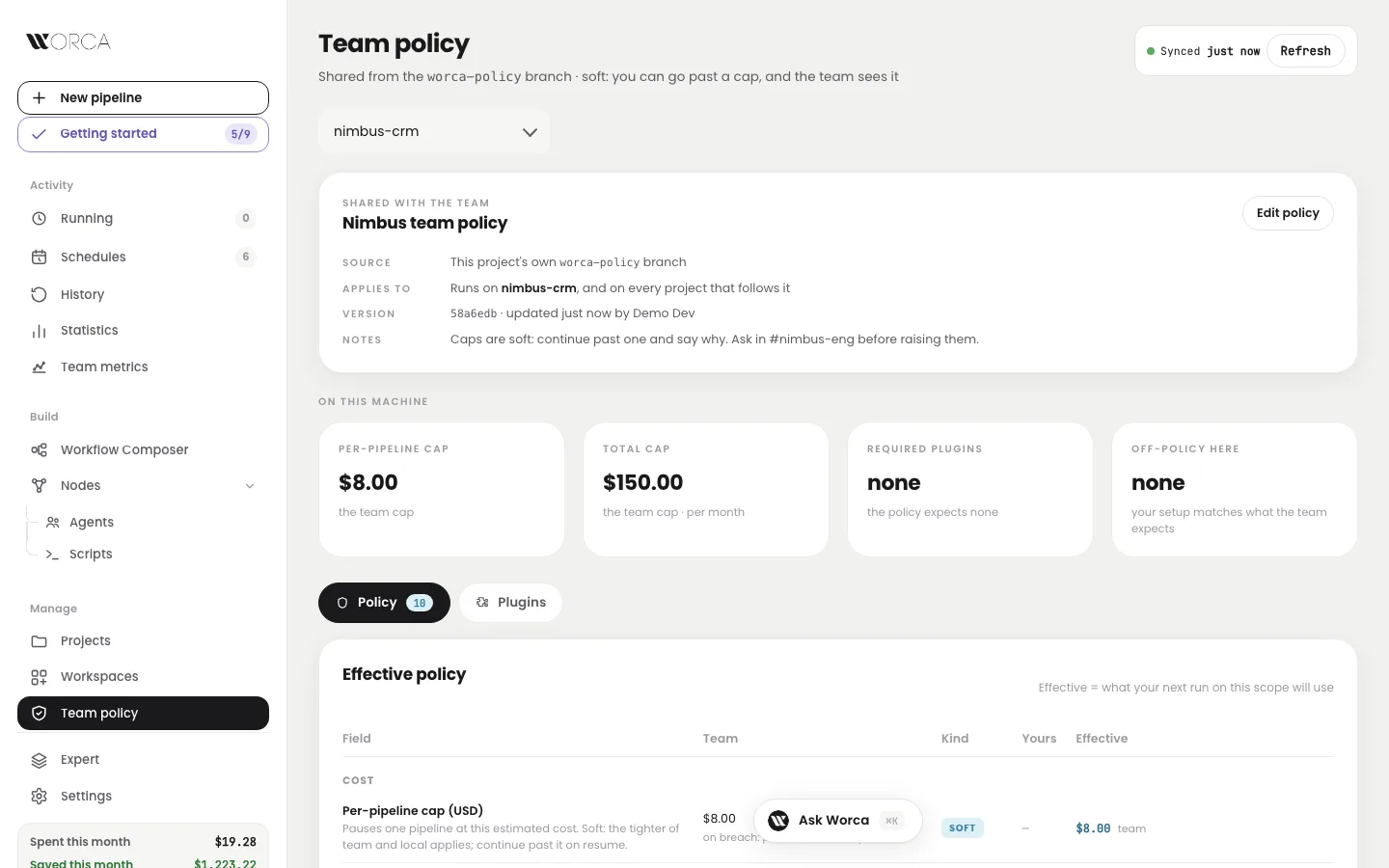
The Team policy page: what the team published and what your next run will use.
A run reaching the team cap
- The run pauses at the capTeam and local limits both apply; the tighter one wins.
- You continue and say whyOptional or required reason, as the team decides.
- The team sees it in Team metricsUnattended runs warn instead of pausing.
Protect the worca-policy branch so only maintainers push. Required plugins are offered through a setup checklist, never installed without a click.
Share one Worca
with your team.
Run Worca on any container host, behind the sign-in you already use: Cloudflare Access, or your own identity proxy such as oauth2-proxy or Tailscale. Every run, pause, answer and pull request records who did it, and agents never see the team's GitHub credentials. Nothing changes for someone on a laptop.
What agents can no longer see
- ⎘Clone a repository as a projectNo folder picker on a server: paste a URL and Worca clones it. You can limit which repos may be cloned.
- ☁Host it where you likeThe same signed image runs on any container host. A step-by-step guide walks through one full setup, including upgrades, rollback and health checks.
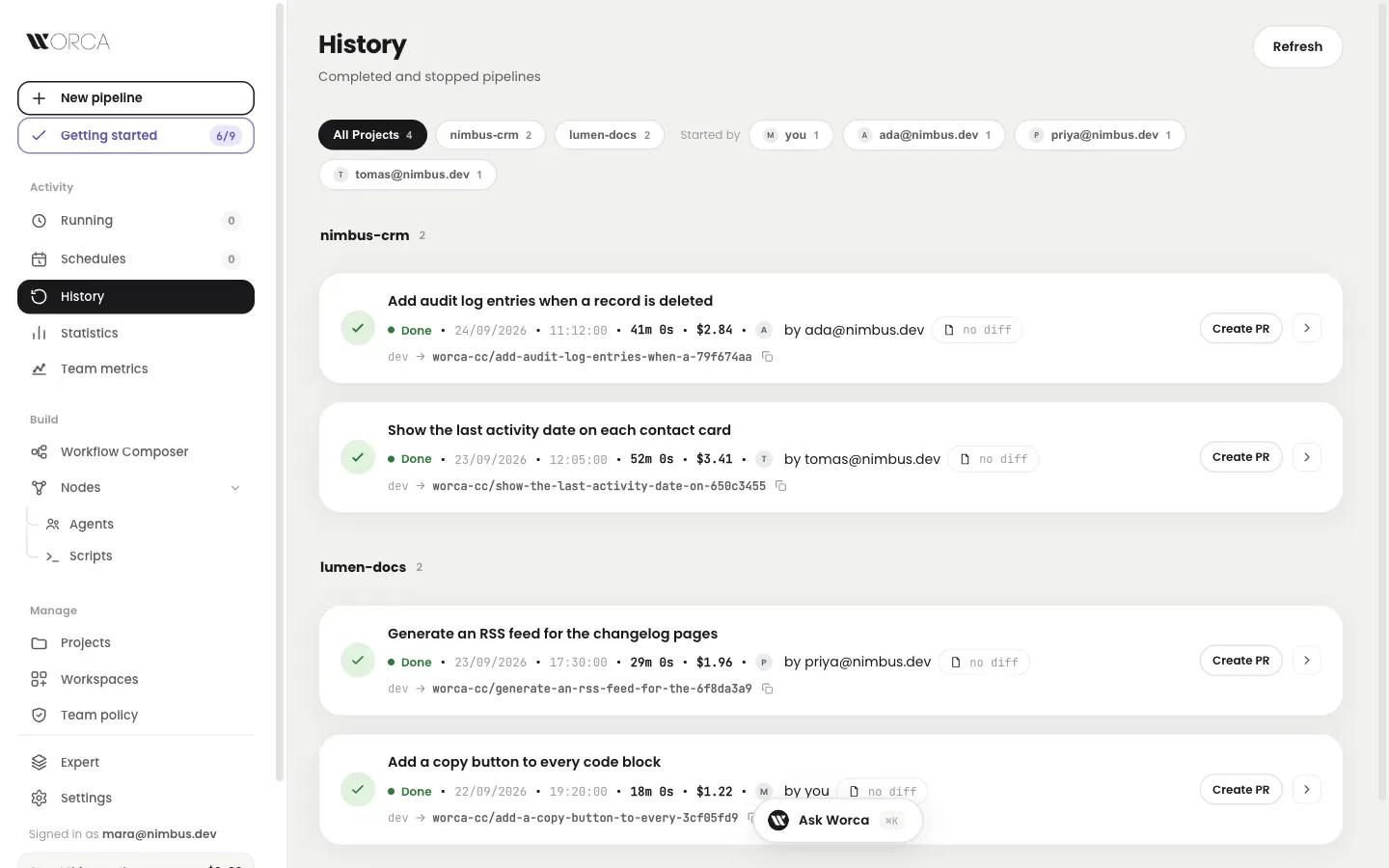
History on a shared Worca: who started each run, and a filter by person.
Everyone pays
with their own key.
A shared Worca can keep each person's model key or Claude subscription in a separate key service. Worca holds no key: each agent gets a short-lived pass, and the real key is added on the way out.
Ship work you
didn't babysit.
One npm install on macOS, Linux or Windows. Or a container, or a shared server for the team.